

Every Playwright test you add costs wall-clock time in CI, and one spec at a time that cost is invisible. A few hundred specs later, the suite has become the slowest stage in your pipeline, pull requests queue behind it, and deploys wait on a green check that takes twenty minutes to arrive.
The real cost is easy to miss, because it shows up as tests that never get written. When the pipeline is already slow, engineers stop writing E2E coverage for the flows that need it most: the multi-step checkout, the permission edge case, the regression that only appears three screens deep. The test is worth writing, but the team skips it anyway, because adding it makes an already slow build slower. Coverage ends up rationed by CI duration rather than by risk.
Lovable hit the same problem. They moved their existing tests to Endform unchanged, and runtime was cut in half on day one, then kept dropping as the suite grew. They now run more than three million Playwright tests a week, with CI faster than it was when the suite was a fraction of the size.
The tests didn’t change, so the tests weren’t what made CI slow. When CI time rises in step with test count, the limit is usually the compute on one machine. This post covers why that happens on a single runner, and how to tell whether it’s what is slowing your suite down.
The single-machine bottleneck
Most suites start out the same way.
Your Playwright tests run on a single CI machine with a handful of workers, workers: 4 or workers: 8, each worker driving its own browser.
At twenty or thirty specs it is fast and nobody thinks about it again.
The slowdown starts when you add more workers than the machine can handle. Each worker drives its own browser process holding hundreds of megabytes of RAM, so an overloaded runner starts timing out specs that pass on their own. Adding more workers from there makes it worse.
So teams stop raising the worker count. From then on, wall-clock time grows roughly in line with the spec count, because the specs take turns on the same fixed set of cores. Every new test adds time to every CI run, and the team notices. New coverage gets weighed against the delay it adds, and people start adding tests carefully instead of freely.
Plenty of growing Playwright suites are at this point. The tests are fine, the config is reasonable, and the workers are tuned about as far as one machine allows. What’s left is the machine itself, and no amount of tuning changes how much work one runner can do at once.
Tuning, sharding or managed parallelism
Once the machine is the constraint, you have three options.
The first is to keep tuning the single runner. You raise the worker count, move to a larger instance, trim setup time, and squeeze what you can out of the cores you have. This is worth doing, up to the ceiling described above: past a certain point, more workers on one machine starve each other, and more tuning buys flakiness instead of speed.
The second is self-managed sharding, usually a GitHub Actions matrix that splits the suite across several parallel CI jobs. Playwright sharding works, and plenty of teams run on it for years. It brings wall-clock time down, but the split is static: you divide the suite into a fixed number of shards, and the run finishes only when the slowest shard does.
Going faster means adding shards, and each shard brings its own runner start-up, its own CI minutes, and another report for the merge-reports step to stitch together. The shard count also needs revisiting as the suite grows, so the workflow YAML becomes one more thing to maintain.
The third is managed parallelism, which changes the unit of distribution.
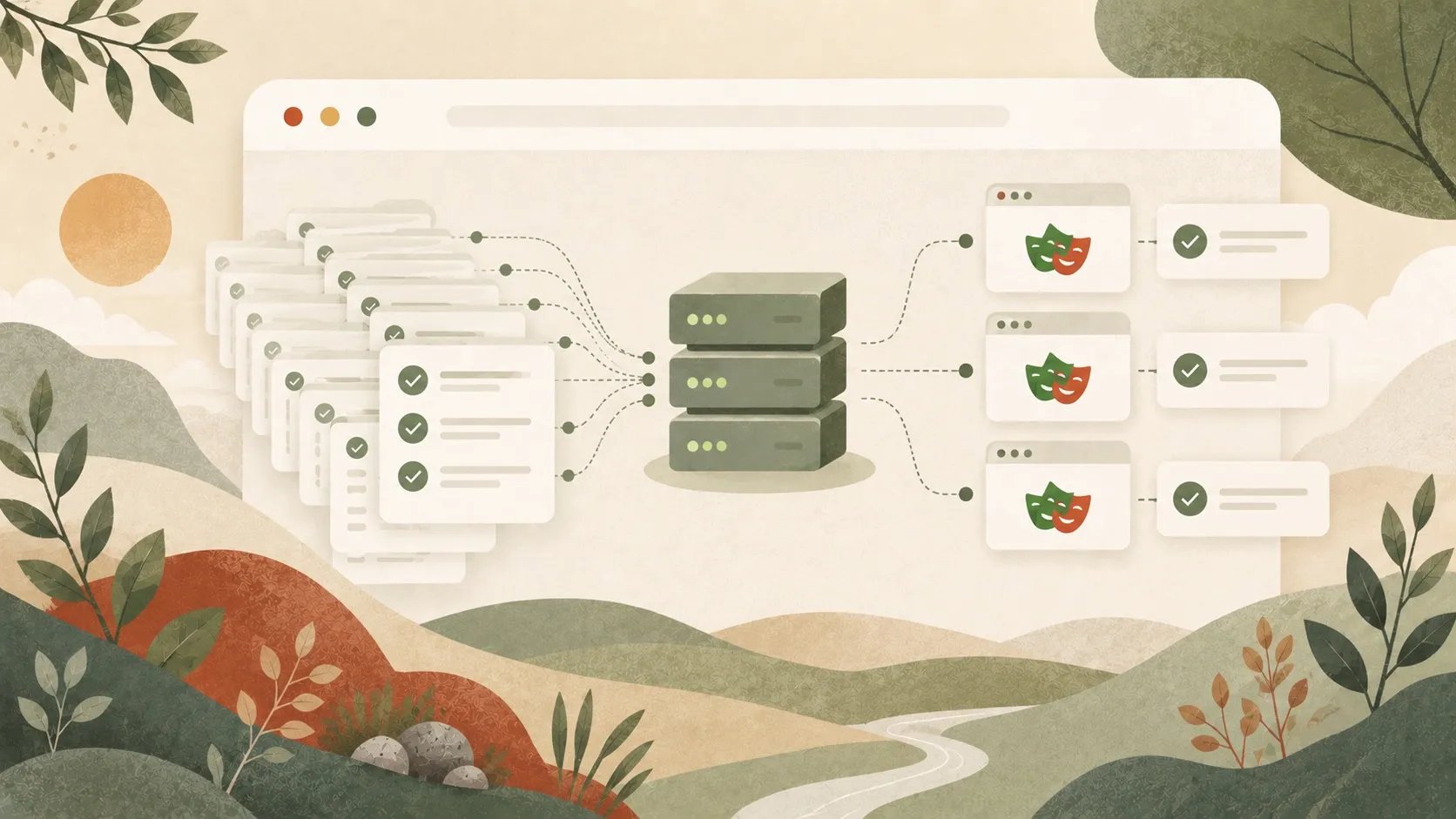
Instead of dividing the suite across a fixed handful of workers or shards, Endform boots the test framework on as many machines as needed to run every spec at once: one test file per machine, or one test per machine with fullyParallel on.
A Rust-based CLI works out which files each spec depends on, ships each spec to its own machine, and collects the results as they come back.
There is no matrix to tune and no shard count to maintain as the suite changes.
This is the option that breaks the link between test count and wall-clock time. When every spec runs on its own machine, total runtime is roughly the duration of the slowest spec plus scheduling overhead. Adding a spec adds a machine, not minutes, and Lovable’s results show what that does over time.
Tripling test coverage without adding runtime
When the machine stops being the bottleneck, the first thing that changes is what the team is willing to test. While CI time tracked spec count, every new test made the pipeline a little slower. Without that cost, the flows that were too expensive to test get tests, and the deferred edge cases get written.
With each spec on its own machine, tripling the suite adds machines, not wall-clock time. On a single runner that’s impossible at any worker count: three times the specs on the same cores means roughly three times the wait. Lovable did this, tripling their Playwright test count within a few weeks of migrating while runtime stayed roughly flat.
Endform bills $0.01 per test minute, however many machines the tests run on. Ten one-minute specs cost the same on ten machines at once as on one machine in turn, so running in parallel costs nothing extra. The bill only grows with the test minutes you run.
Scaling to 3M+ tests a week
A day-one win could be a one-off. The real question is whether runtime holds as specs keep landing month after month, or creeps back up.
Over the following months Lovable’s suite grew to ten times the size it was when they started on Endform, while their E2E runs got 6x faster. They now run more than three million tests a week. On a single runner, ten times the specs would mean something close to ten times the wait. The numbers below compare where Lovable started with where they are today.
| Lovable | When they started | Today |
|---|---|---|
| Tests run per week | About 23k | More than 3M |
| Suite size | Original suite | 10x larger |
| Suite runtime | Grew with every test added | 6x faster, with 10x the tests |
| How tests run | Workers sharing one CI machine | Spread across many machines |
How to tell if one machine is your bottleneck
Watch how CI time moves as your test count grows. If runtime climbs roughly in step with the number of tests, and the machine is already tuned as far as it goes, you’ve hit the limit of one runner, and that’s the problem running every spec on its own machine solves. If CI is slow for other reasons, spreading the suite across more machines will run those problems faster without fixing them.
Sometimes infrastructure is the wrong fix. If your tests are non-deterministic, leak global state between runs, or log in through the UI on every test instead of caching authentication, fix those first. Running them in parallel won’t help, and they’re cheaper to deal with before you add infrastructure on top. Our best practices for Playwright at scale cover auth caching, test isolation, and determinism.
If your tests are already isolated and deterministic and one machine is maxed out, the infrastructure is what’s holding you back.
Wrapping up
Most teams accept a tradeoff between how much they test and how fast CI is. On a single machine that tradeoff is real: every spec shares the same cores, so wall-clock time grows with the count. Once each spec runs on its own machine, runtime depends on the slowest test, not on how many there are.
Lovable’s suite is 10x larger than when they started and runs 6x faster. If your suite slows down every time it grows, the limit is probably the machine, not your tests.
You can run your existing Playwright suite on Endform without changing your tests or your config. The free trial includes 2,000 test minutes.
FAQ
Does adding more Playwright tests slow down CI?
On a single runner, yes. The specs share a fixed set of cores, so each one you add pushes more work through the same capacity and wall-clock time grows with the count. When each spec runs on its own machine instead, adding a spec adds a machine rather than minutes, and runtime is bound by the slowest single test.
Why are Playwright end-to-end tests slow or timing out?
Slowness across the whole suite usually comes from work that is not testing anything: UI login before every test, browser reinstalls on each run, or specs running serially when they could run in parallel. Timeouts under load are different, and point to more workers than the machine can feed, where browsers compete for CPU and memory. If a spec times out in the full run but passes alone, the machine is the constraint, not the test. For a step-by-step diagnosis, see why your Playwright tests are slow.
How many parallel workers should I run in CI?
It depends on the runner and the workload, so benchmark it on the machine your tests actually run on rather than copying a number. Left undefined, Playwright defaults to half the logical CPU cores, though its CI guide recommends workers: 1 in CI for stability. Neither is automatically right for your suite. Set a percentage like workers: '50%' so the value tracks the runner’s size, then measure runtime and failure rates as you adjust it up or down. The Playwright GitHub Actions guide walks through tuning workers on a GitHub-hosted runner.
Does increasing workers always speed up a Playwright suite?
No. Workers decide how efficiently a suite uses the cores it has, but they do not add cores. Past the point where the machine can feed every worker, more workers means more contention, which shows up as flakiness and timeouts. Beyond that, the next gain comes from adding machines, not from raising the worker count.
How do I keep a Playwright suite fast as it grows?
Fix the test hygiene first, then scale the infrastructure. Cache auth with storageState, isolate state so any spec runs on any worker, keep tests deterministic, and run Chromium on PRs with the full matrix on merge. When those are done and CI is still your slowest stage, the machine is the limit, and the fix is to stop running the whole suite on one runner.