

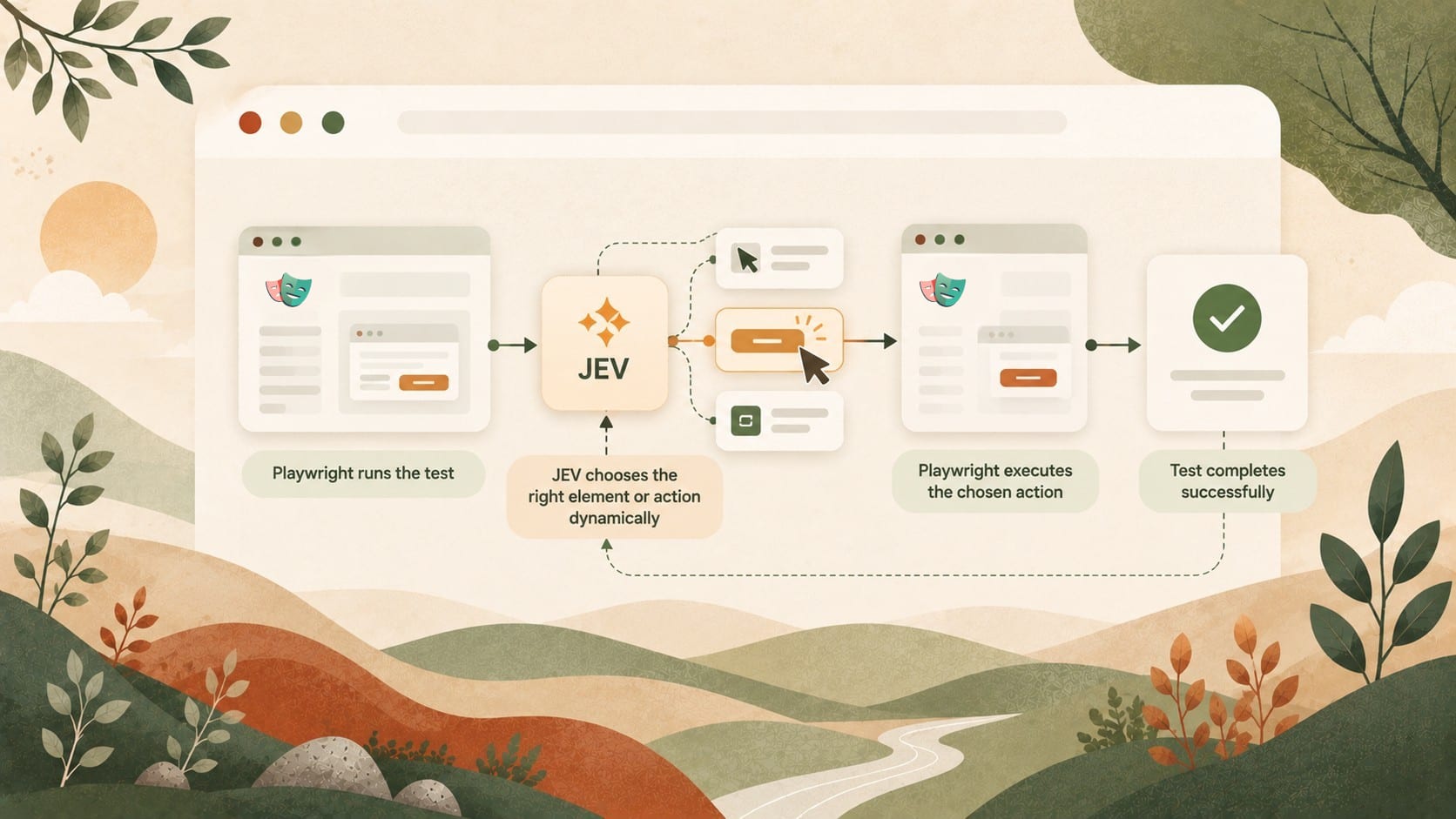
Can an AI model decide what to do next in a Playwright test instead of relying on hand-written browser interactions? Should we write more intent-driven instructions in end-to-end tests, like “fill out this form with these details,” instead of using locators?
Having a “traditional” LLM/AI agent in the loop for every step of every regression test on every commit is prohibitively expensive.
Jev, TypeSafe’s new classification model, costs $42 per billion (!) input tokens, with free output tokens. TypeSafe says it is 40–200× faster than traditional LLMs on the decision tasks it targets.
To find out whether Jev could replace the scripted interactions in a Playwright test, we put it in control: we gave it the test’s aim and let it dynamically choose which browser action Playwright should execute next.
We benchmarked this approach on 15 realistic end-to-end testing scenarios from our Playwright tutorial repository, which run against an example SaaS application. Jev passed independent verification in 72 of 150 runs (48%) - a promising start. But we believe the lossy conversions needed to turn browser state and possible interactions into Jev’s inputs will make it difficult for the model to replace scripted Playwright tests completely.
Why put a classifier inside a test runner?
Given context and a set of typed questions, Jev returns decisions and probabilities that software can use directly. In our experiment, it selected from predefined browser actions and assessed whether the task was complete. Jev must choose from a set of options and never generates text.

The tutorial suite provided known workflows, fixtures, and expected outcomes. A one-time, supervised AI conversion turned its tests into text specifications containing an aim, input values, and success criteria.
Playwright retained responsibility for creating isolated users, establishing sessions, controlling the browser, verifying outcomes, and cleaning up. Our hypothesis was that some of the interactions between setup and verification could instead be described by intent and supplied data, with Jev selecting the concrete actions at runtime. The experiment tested that division of responsibility while keeping the test harness and expected outcomes defined in code.
In simplified Playwright pseudocode, the boundary looked like this:
// Use Playwright fixtures for deterministic setup and teardown.
const test = base.extend<{ user: User }>({
  user: async ({ request }, use) => {
    const user = await createUserViaApi(request);
    await use(user);
    await deleteUserViaApi(request, user);
  },
});

test("change account name", async ({ page, user }) => {
  let completed = false;
  for (let step = 0; step < 30 && !completed; step++) {
    completed = await runJevAction({
      page,
      aim: "Change the account name to John Doe",
      // Jev cannot generate free-form text; provide input values beforehand.
      inputs: { name: "John Doe" },
    });
  }
});
Jev as the driver: a Bun script, Endform live tests, and a decision loop
We built the controller as a Bun script that called the Jev API and Endform CLI. Endform live tests let us start a Playwright session and issue commands into the running browser while preserving its state and fixtures. Each scenario supplied a frozen aim, input values, and success criteria, while the controller handled the interaction loop without restarting the test after every action.
The loop repeatedly observed the browser, asked Jev to choose an action, executed that action through Playwright, and observed the result.
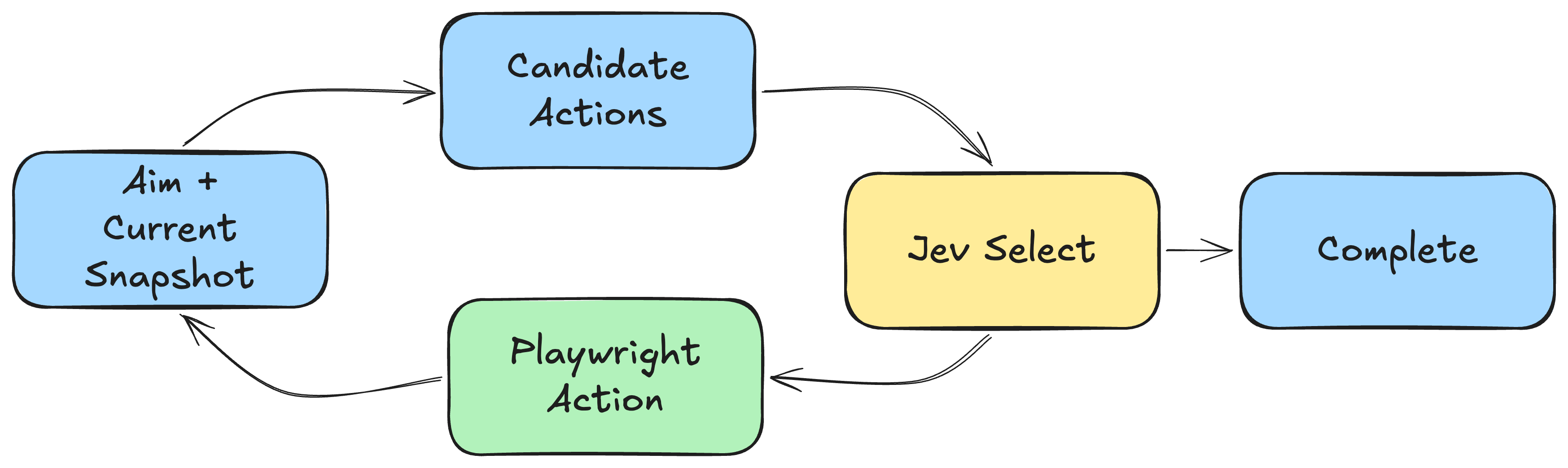
After each command, Endform automatically saved an “AI-mode” accessibility snapshot. The controller read it, mapped element references to Playwright locators, and generated candidate actions, including clicking buttons, filling textboxes, checking controls, navigating, waiting, and stopping. Each candidate included context from nearby headings and other accessible elements to help distinguish similar controls. Candidate generation was deliberately simple: every supplied input value could be paired with every textbox, even when the combination made little sense.
At each iteration, Jev received the aim and success criteria, current URL and page title, accessibility snapshot, candidate actions, and observations from the five most recent actions. Jev returned both a probability that the task was complete and its highest-probability choice from the available browser actions, waiting, or stopping. If the completion probability reached 0.90, the controller ran independent Playwright verification. Otherwise, it executed the selected action directly, waited, or stopped. The 0.90 completion threshold was an experimental setting rather than a calibrated reliability guarantee.
Each attempt was limited to 30 iterations and seven minutes after startup. The loop ended on verified completion, an explicit stop, repeated state and action without progress, a limit, or an error. Independent Playwright assertions checked completion claims without influencing action selection, although these checks were adapted for the converted scenarios rather than reproducing every assertion from the original suite.
What happened across 150 attempts
We ran each of the 15 scenarios ten times against the hosted example SaaS application.
| Test case | Verified | Mean time | Jev cost |
|---|---|---|---|
| User signup and login flow | 10/10 | 19.4s | $0.000430 |
| Activity after account update | 10/10 | 17.3s | $0.000417 |
| Activity ordering | 0/10 | 25.8s | $0.001750 |
| Activity section | 10/10 | 13.7s | $0.000142 |
| Change email | 0/10 | 38.9s | $0.002740 |
| Change name | 10/10 | 18.8s | $0.000554 |
| Change password | 0/10 | 54.9s | $0.005465 |
| Has title | 10/10 | 11.5s | $0.000064 |
| Already logged in | 6/10 | 10.9s | $0.000072 |
| Duplicate invitation | 6/10 | 21.7s | $0.001202 |
| Payment history | 0/10 | 22.6s | $0.003263 |
| Plan upgrade | 0/10 | 30.4s | $0.005324 |
| Sign-out session | 6/10 | 16.7s | $0.000377 |
| Team invitation | 4/10 | 26.9s | $0.001605 |
| Delete account | 0/10 | 15.3s | $0.000405 |
| Total | 72/150 (48%) | - | $0.238122 |
The table shows independently verified passes. Time and Jev cost are averages per attempt for each test case, including both successful and unsuccessful attempts; the total row gives the cost of all 150 attempts.
Overall, 72 of 150 attempts passed independent verification (48%). Five scenarios passed every run: signup, activity after an account update, the activity-section check, name change, and the page-title check. Checking the logged-in state, rejecting a duplicate invitation, and signing out each passed 6/10; inviting a team member passed 4/10. The other six scenarios had no verified passes. Of the 78 unsuccessful attempts, 67 ended when Jev chose to stop, 10 stalled after repeated state and action, and 1 reached the step limit. The estimated Jev cost was $0.238 in total, excluding browser infrastructure.
The saved traces show several ways a run could fail even after Jev made useful progress:
| Observed pattern | Example from a failed run | What prevented a verified pass |
|---|---|---|
| Progress was not recognized as completion | In one email-change run, Jev updated the email, signed out, and submitted a sign-in with the new credentials. | It later stopped with a completion probability of 0.67. Earlier milestones could fall outside the five-action history. |
| An action was repeated after it had worked | In one password-change run, Jev changed the password and signed in with it, then returned to the Security settings and tried to change it again using the old password. | The second attempt produced validation errors, and the run never passed verification. |
| A required form remained incomplete | Payment-history runs stopped and plan-upgrade runs stalled at checkout. | Required cardholder and billing values were not among the supplied inputs, so neither workflow reached a verified purchase. |
These are examples from the traces, not a complete explanation of all 78 non-passing attempts. They show why executing a browser action successfully is different from completing and verifying the intended test.
False negatives: simulating failures
We wanted to check that Jev-driven tests fail when the application behaves incorrectly, so we ran a second benchmark with 30 injected faults. Eighteen faults targeted scenarios that had passed at least once in the clean benchmark.
When an injected fault visibly broke an outcome checked by the test, we saw no incorrectly passing tests. This is a promising sign that Jev did not hallucinate completion for those failures in this experiment.
What this naive approach teaches us
Before Jev could choose an action, the controller transformed the page twice, with opportunities to lose useful information at each step:

The accessibility tree could leave out information needed to understand the page. The controller then turned that tree into a finite menu of actions. We added nearby headings and ancestor context to distinguish controls with the same label, but Jev could still choose only from the actions the controller offered.
That menu has to anticipate the locators and interactions a test might need. Playwright can target application-specific elements and perform operations beyond the clicks, fills, and checks we offered, such as dragging an item. If a needed action is absent, Jev cannot choose it. Offering every conceivable action would make the menu harder to choose from and could exceed Jev’s 255-choice limit. This is why we believe a lossy action-choice loop will struggle to run arbitrary Playwright tests.
Looking forward: where this approach could be useful
Jev reached verified completion in 72 of 150 attempts. Some checks and short interactions worked consistently, but others were flaky, and six scenarios never passed. Model usage cost about $0.24 for the full benchmark, excluding browser infrastructure and development work. That makes the model spend far more manageable than putting a traditional LLM in the loop for every browser step.
Because Jev is fast and cheap, partially dynamic Playwright tests look promising. A test could let Jev handle part of a changing third-party checkout, for example, while Playwright keeps setup and assertions deterministic.
Do you think partially dynamic Playwright tests would help you? We’d love to hear any other ideas you have for using Jev with Playwright.